
Statamic MCP



Statamic MCP lets AI clients like Claude Code, Cursor, claude.ai, and ChatGPT read and write your Statamic 6 content: entries, taxonomy terms, globals, assets, and navigation menus, and read the submissions your forms collect. Every request runs as a real Statamic user, so the roles you already manage in the Control Panel decide what an agent can do.
It's built on Laravel's laravel/mcp package and works with its 0.8, 0.9, and 1.x releases. This addon is still pre-1.0, so a minor release can contain breaking changes, and CHANGELOG.md lists every one.
Requirements
- PHP 8.3 or newer
- Statamic 6.31 or newer, on Laravel 12 or 13
laravel/passportand a database for Passport's tables, for OAuth mode only
Installation
composer require danielgnh/statamic-mcpThe endpoint is now live at /mcp/statamic. It rejects any request without a valid token, so nothing is reachable until you issue one.
Connecting a client
Clients that let you set an Authorization header use token mode, the default. That includes Claude Code, Cursor, and the MCP Inspector. Connector clients that only take a URL, like claude.ai, Claude Desktop, and ChatGPT, need OAuth mode.
Token mode
Issue a token for the Statamic user the agent will act as:
The command prints the token once, then a ready-to-paste command for Claude Code and a config block for Cursor:
claude mcp add --transport http statamic https://example.com/mcp/statamic \ --header "Authorization: Bearer mcp_..."The user also needs the Access MCP permission. Grant it on their role in the Control Panel. Super admins already have it, and mcp:token warns you when it's missing.
Start Claude Code and ask which collections your site has.
OAuth mode
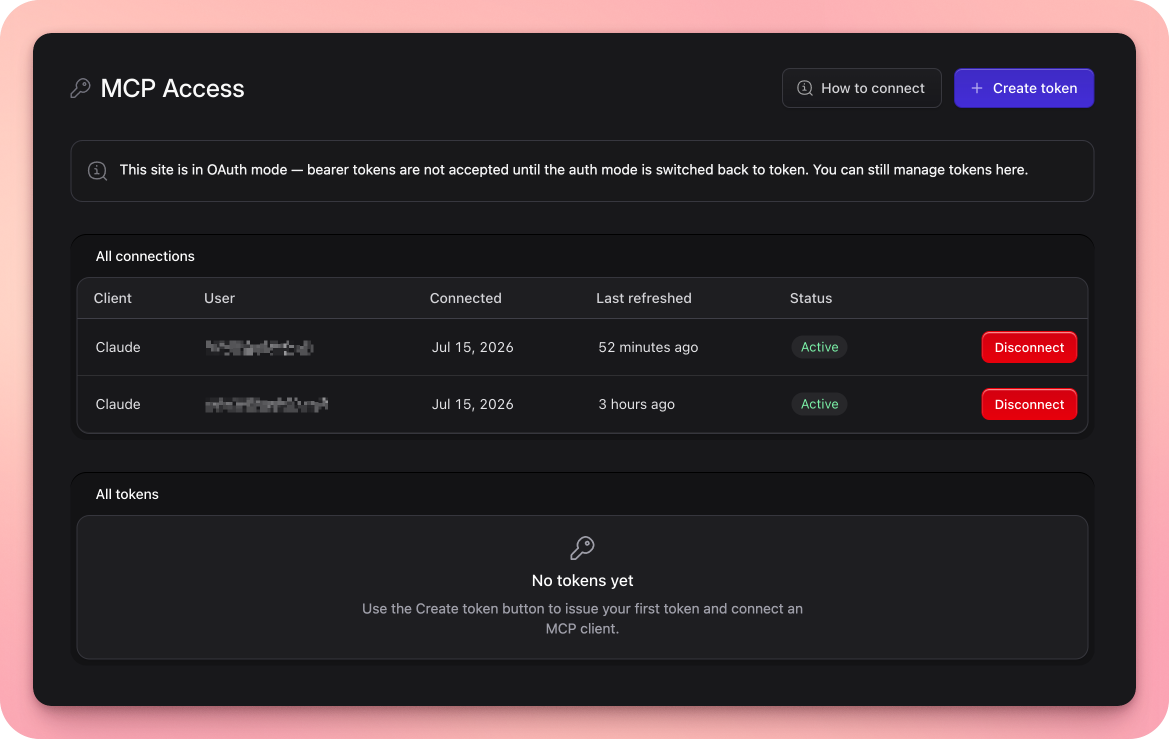
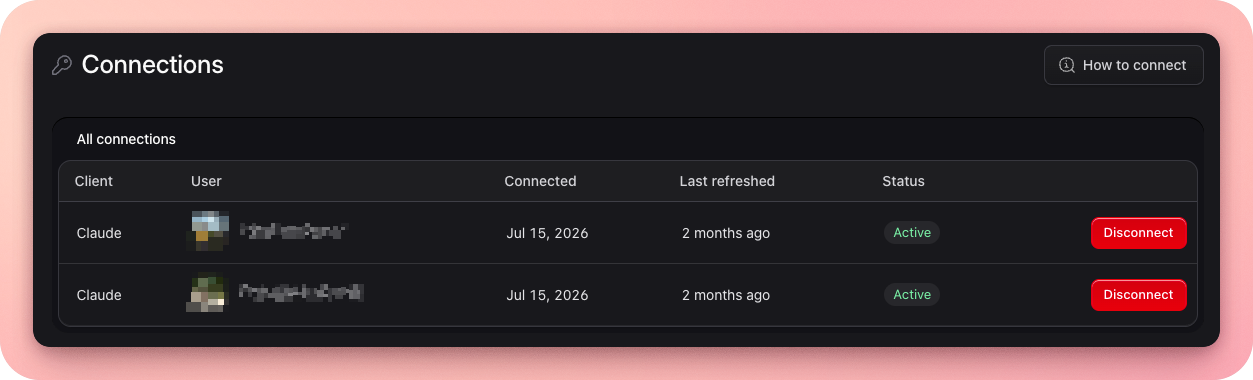
php please mcp:setup --oauthThe wizard installs Laravel Passport, sets STATAMIC_MCP_AUTH=oauth, runs the migrations, and creates Passport's keys. It asks before each step and finishes by running mcp:doctor. Then add https://example.com/mcp/statamic as a connector in your client. The client registers itself and sends you through a Statamic login and a consent screen. Tools → MCP → Connections then lists the connection, and Disconnect revokes it.
Your users stay where they are. File-based users work, and the wizard never touches your user model or config/auth.php. Passport only needs a database for its own tables, and SQLite is fine. Connector clients reach your site from the internet, so it needs a public HTTPS URL.
To deploy, set STATAMIC_MCP_AUTH=oauth in each environment and run php artisan migrate --force as usual. The keys live in the database, so there is no key step. docs/oauth.md covers manual setup, the consent screen, and disconnecting clients.
mcp:setup handles token mode too, and --yes runs it unattended. Laravel Boost users get guidelines that teach coding agents to run it that way, once they select this package in boost:install.
Managing tokens
php please mcp:tokens # listphp please mcp:token:revoke {id} # revokeThe package stores only a SHA-256 hash of each token, in storage/statamic/mcp/tokens.yaml, so token mode needs no database. A deleted user's tokens stop working.
Users manage their own tokens in the Control Panel under Tools → MCP → Connections, which opens for anyone with the Access MCP permission. Super admins see everyone's tokens and can revoke them.
Permissions
The token is the user. There are no API scopes and no second access list. Every tool call checks the acting user's Statamic permissions.
To restrict an agent, give it its own user and role. A drafting agent for the blog looks like this:
- Create a role with Access MCP, View blog entries, Edit blog entries, and Create blog entries.
- Create the user
[email protected]with that role. - Run
php please mcp:token [email protected] --name="Blog agent".
That agent can create blog drafts and edit blog entries. It can't publish, delete, or see any other collection. If the blog blueprint has an author field, it can only edit entries it's an author of, which includes the ones it creates. That's the same rule the Control Panel applies.
Three config options restrict every user at once. read_only hides all write tools. resources limits which collections, taxonomies, global sets, asset containers, navigations, and forms MCP can reach. The delete tools don't exist until you set deletes to true, and the user still needs the matching delete permission.
docs/permissions.md has more recipes, including read-only, publishing, and multi-site agents.
Drafts and publishing
entries_create always saves a draft, and entries_update never changes an entry's published status. What an edit does to a live entry depends on the collection:
- With revisions enabled, the edit becomes a working copy, the same one the Control Panel creates. Visitors keep seeing the live version until someone publishes it. Moving an entry with
parentis the exception. Working copies don't store an entry's place in the tree, so the move is live at once, as in the Control Panel's tree view. - Without revisions, the edit saves straight to the entry. If the entry is live, visitors see the change right away, same as saving it in the Control Panel.
Publishing is its own tool, entries_publish, and it needs the collection's publish permission. Because it's a separate tool, your MCP client asks you about it separately. You can let an agent call entries_update all session and still approve each publish yourself.
To see how a draft or working copy looks, an agent calls entries_preview. It returns a Live Preview URL that renders the entry through your templates. Anyone with the URL can open it for an hour, so the agent can fetch the page itself and check its work before anyone publishes.
Terms, globals, assets, and navigations have no draft state. Writes to them go live immediately.
Tools
| Area | Tools |
|---|---|
| Discovery | statamic_overview, blueprints_get |
| Entries | entries_list, entries_get, entries_create, entries_update, entries_localize, entries_preview, entries_publish, entries_unpublish, entries_delete |
| Taxonomy terms | terms_list, terms_get, terms_create, terms_update, terms_delete |
| Globals | globals_get, globals_update |
| Navigation | navigations_get, navigations_update |
| Assets | assets_list, assets_get, assets_upload, assets_update, assets_delete |
| Forms | submissions_list, submissions_get, submissions_delete |
The server tells agents to call statamic_overview first. It lists the sites and resources the user can reach and what they may do in each. blueprints_get returns a blueprint's fields, the blocks of each page builder field, and a valid example payload. The four delete tools only exist when deletes is on, and entries_localize only on a multisite install.
Form submissions are read-only, as they are in the Control Panel. submissions_list returns a form's submissions newest first with their data, so an agent can summarize a week of contact requests in one call, and submissions_delete removes spam or honors an erasure request. Nothing creates or edits a submission through MCP.
docs/tools.md documents every tool, the upload limits, and how URL uploads block private network addresses.
Guidelines for agents
blueprints_get tells an agent which fields a blueprint has. To teach it how your site uses them, write instructions in the blueprint and, for everything that isn't about one field, on the Guidelines page:
- Each field, section, and page builder set has an
instructionskey.blueprints_getreturns it, and editors see the same text in the Control Panel. - Tools → MCP → Guidelines holds the site's voice and tone, which
statamic_overviewreturns, and rows on how a collection's entries are put together, whichblueprints_getreturns with the collection's blueprints. Only super admins can open it.
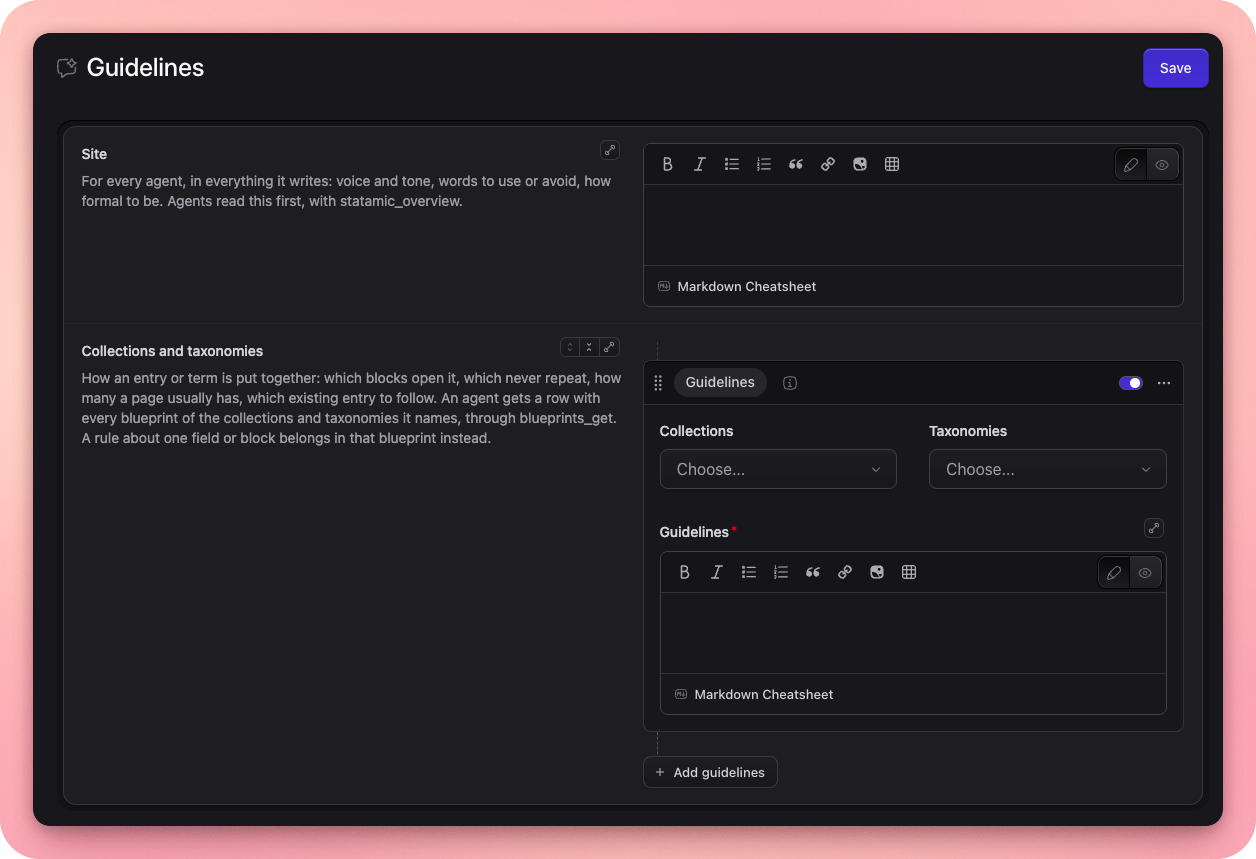
php please mcp:guidelinesThe command lists the blocks that still have no instructions. On a site coming from 0.6.0, it first moves the guidelines out of the old global set. docs/guidelines.md covers the details.
Adding your own tools
The server is a laravel/mcp server class. Extend it, override tools(), and add, replace, or remove tools on the registry it receives:
namespace App\Mcp; use App\Mcp\Tools\EntriesList as SlimEntriesList;use App\Mcp\Tools\NewsletterSend;use Danielgnh\StatamicMcp\Server;use Danielgnh\StatamicMcp\ToolRegistry;use Danielgnh\StatamicMcp\Tools\AssetsUpload;use Danielgnh\StatamicMcp\Tools\EntriesList; class StatamicServer extends Server{ protected function tools(ToolRegistry $tools): void { $tools->add(NewsletterSend::class); $tools->replace(EntriesList::class, SlimEntriesList::class); $tools->remove(AssetsUpload::class); }}Then point the config at it:
// config/statamic/mcp.php'server' => App\Mcp\StatamicServer::class,Your tools run behind the same authentication and Access MCP check as the built-in ones. replace() swaps a built-in tool for yours, usually a subclass that overrides execute() or schema() and keeps the name. remove() drops one. Extend Danielgnh\StatamicMcp\Tools\Tool to get the acting user and the permission helpers. docs/tools.md has a complete tool, the helper reference, and a test.
Configuration
php artisan vendor:publish --tag=statamic-mcp-configThis creates config/statamic/mcp.php.
| Key | Default | What it does |
|---|---|---|
enabled |
true |
Kill switch. When false, the route is never registered. Set with STATAMIC_MCP_ENABLED. |
route |
mcp/statamic |
The endpoint path. |
auth |
token |
token or oauth. Set with STATAMIC_MCP_AUTH. |
server |
Danielgnh\StatamicMcp\Server |
The server class to mount. |
middleware |
['throttle:60,1'] |
Runs before authentication on the MCP route. |
read_only |
false |
Hides every write and delete tool. Set with STATAMIC_MCP_READ_ONLY. |
deletes |
false |
Registers the delete tools. Set with STATAMIC_MCP_DELETES. |
resources |
true for each type |
One key each for collections, taxonomies, globals, asset_containers, navigations, and forms. true exposes every handle. A list like ['blog', 'pages'] exposes only those. A type missing from a published config exposes nothing. |
per_page |
25 |
Default page size for list tools, capped at 100. |
uploads.max_size |
10240 |
Upload size limit in KB. |
uploads.source_allowlist |
null |
Hosts assets_upload may download from. null allows any public host. Private addresses are always blocked. |
Troubleshooting
php please mcp:doctorThe doctor runs every check, even after one fails, and prints the fix for each problem. It exits non-zero on failure, so it also works as a deploy step. docs/troubleshooting.md explains each check and what a 401, 403, 404, or 503 from the endpoint means.
Development
composer test # Rector, Pint, PHPStan, and Pestcomposer format # PintLicense
MIT. See LICENSE.md.